
November 2026 - HELIOS App 5.0.0Updated 11 minutes ago
11/22/2026
INSIDE LOOK: HELIOS VIDEO
HELIOS App 5.0.0 is our biggest update yet. Coaches and players can now tag, comment on and draw on shift and drill video, then share it with each other. It all happens inside the HELIOS App.
TAG, COMMENT & ANNOTATE
- Tag moments by situation: goals, chances, forecheck, backcheck, power play and more.
- Comment on the exact moment, so nobody has to search a full game to find "that one shift."
- Annotate with arrows, freehand lines, circles, a spotlight, text and colors.
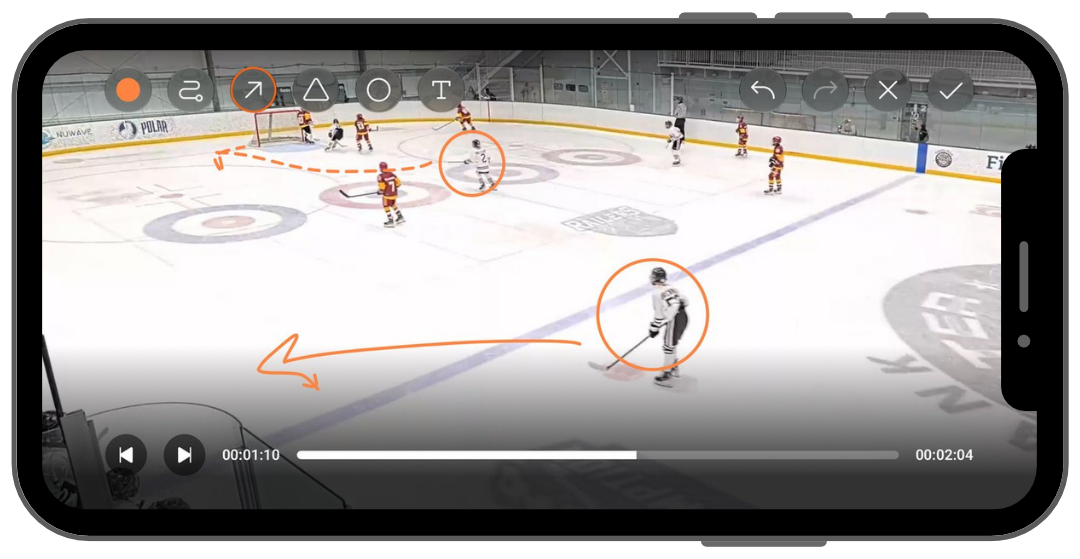
Learn how: How-To: Tag, Comment, & Annotate
NEW VIDEOS TAB
Sessions, Library and Playlists are all in one place.
- Sessions: every session that has video
- Library: every tagged clip, grouped by tag and easy to filter
- Playlists: your own sets of clips
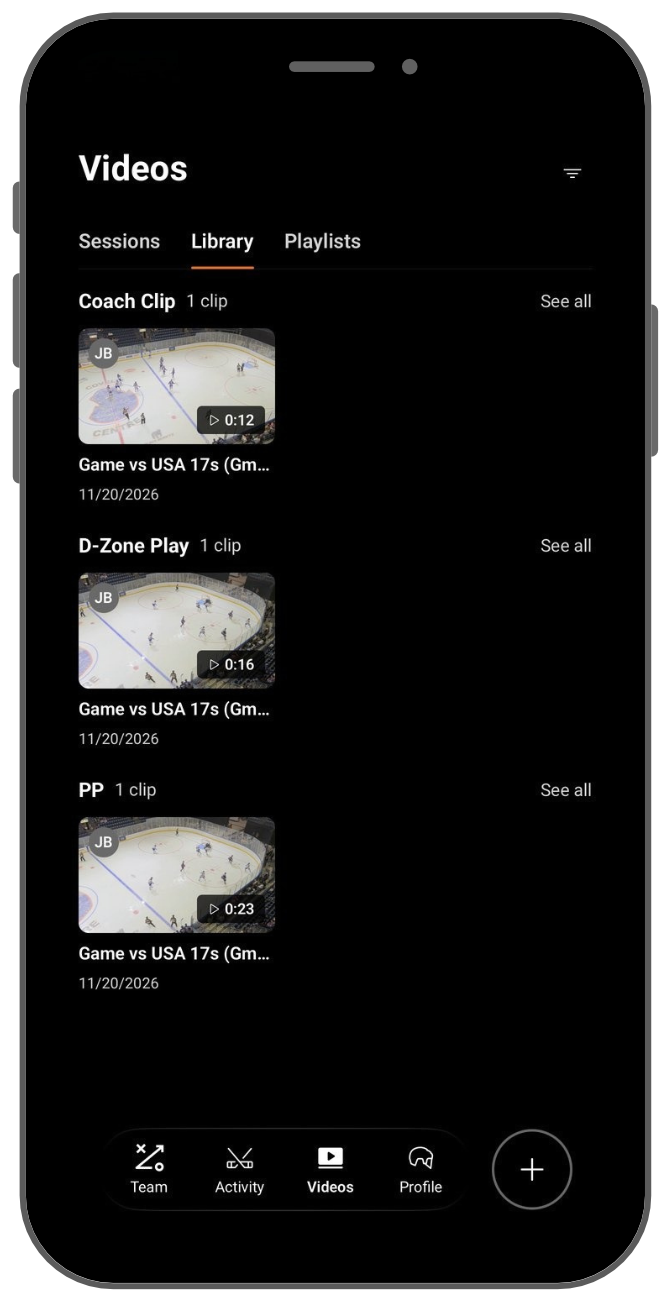
Learn how: Using the Videos Tab: Sessions, Library & Playlists
PLAYLISTS
Pick your clips, drag them into order and hit Play all. Build a game recap, a skill focus or a highlight reel, then share it with a coach, a player or the whole team.
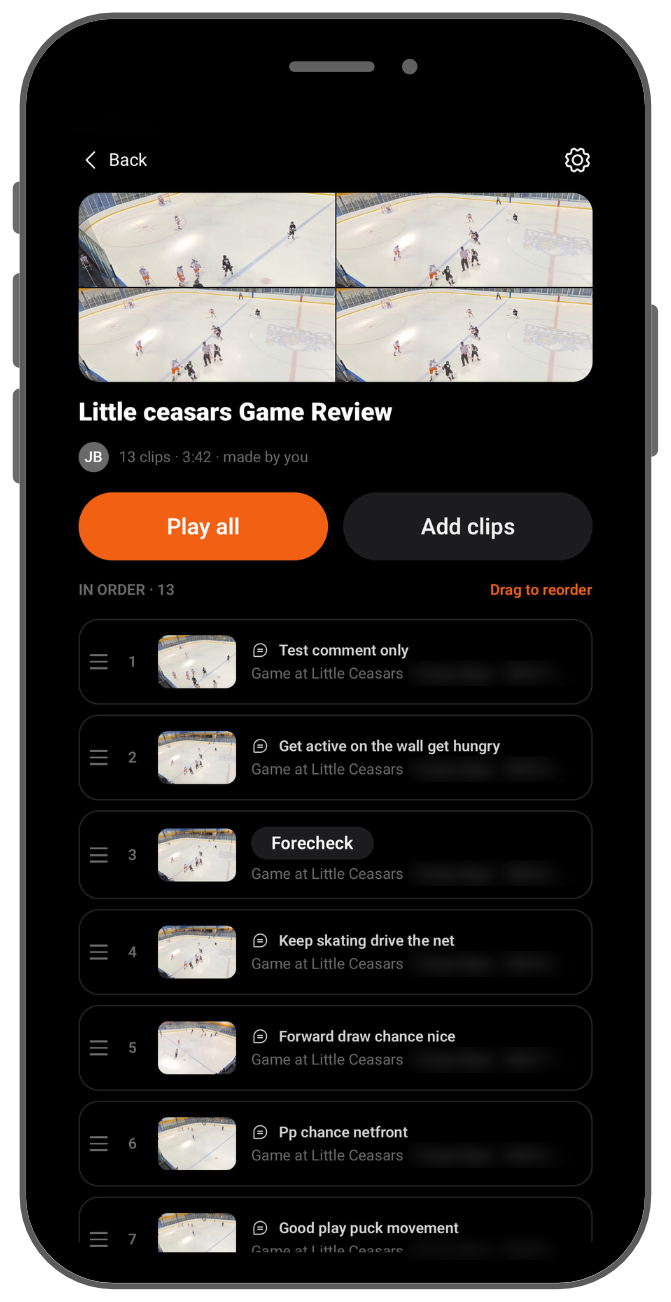
Learn how: How-To: Create & Share Playlists
YOUR VIDEO. YOUR CALL.
- Players: every clip you tag, comment on or draw on is private by default. Share it by adding it to a playlist.
- Coaches: when you tag, comment on or draw on a player's shift, that player sees it by default. To keep your clips to yourself, turn off Share Video Clips in your Privacy settings.
Learn more: Video Sharing & Privacy: Who Sees What
ALSO IN THIS UPDATE
- Rankings and Track Progress have a new home. Rankings by Birth Year and Track Progress have moved from the old Skills tab to your Profile, each with its own tab. Nothing is lost.
- Simpler Settings. Login and security options now live under Settings > Account.
See Getting Familiar with the HELIOS App for a tour of the updated layout.
GET STARTED
- Update the HELIOS App from the App Store or Google Play.
- Open any shift from your last game.
- Draw on your first play and share it with your coach or player.
See How to Download for the latest version.