
Set Drill Tags in PracticeUpdated 8 months ago
HELIOS can also cut Practice Video. Similar to shifts in a game, HELIOS can cut players’ drill runs in practice. We also cut full drills for Coaches to review.
In order to cut practice video, the Coach needs to define which drill is happening, when it started, and when it ended. By defining and tagging practice Drills, HELIOS can cut video and start collecting performance data per drill for training optimization & practice planning.
Practice Drill Tags must be set in real-time during the game. You cannot set a Drill Tag after the practice has concluded.
During the Practice - Follow the instructions below to Tag your drills and upload video.
Start the Practice Session by clicking the Orange HELIOS logo in the App and selecting Practice.
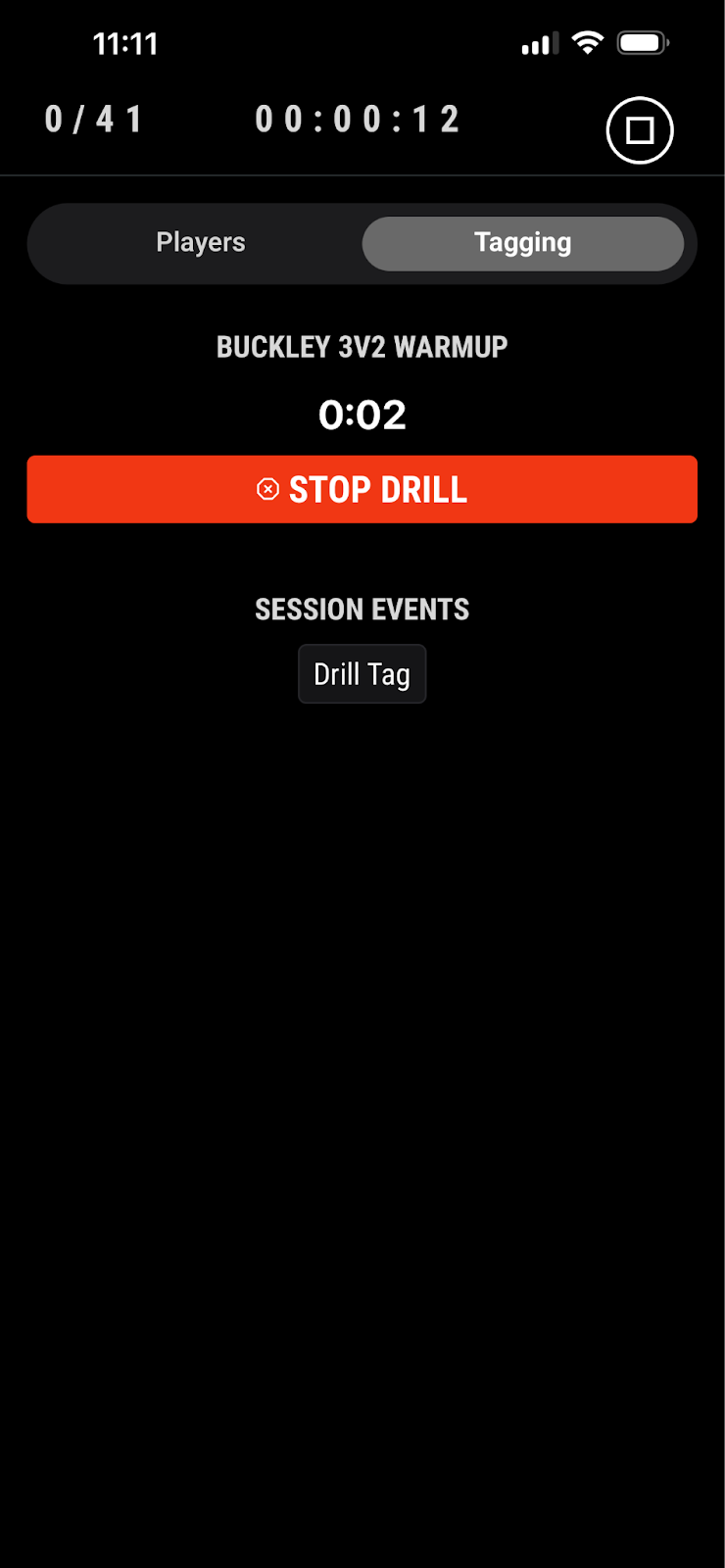
While the Practice Session is running - select the TAGGING tab next to the PLAYERS tab.
When the Coach starts the drill, tap the green button labeled “Start Drill”
A list will appear - select the drill that is about to run. This list is from your Drill Library on the Coaching Suite.
This will start a time counter. Let it run until the Coach ends the drill.
Once the drill is over, tap the Red Stop Drill button. This will populate into a practice plan table.
Repeat steps 1-5 until the practice is over.


Post-Practice - Follow the instructions below to align video after the Practice or Skills for Instant Drill Highlights.
Login to the HELIOS Dashboard (Note: use the same email and password as the HELIOS App)
Select the Practice from your Team Sessions list
Click Add Session Videos
Select the correct Video Source from the options.
Click Select Files and select the video file(s) for the Practice and click Upload. (Note: If you did not set a Drill Tag during the game, you will not be allowed to upload video).
Once uploaded, click Align Session Event
Choose your session event below the video player, then drag the video slider to that moment in the video and click Submit. (Note: this step aligns the HELIOS session and the video. If the video and puck drill tag are not aligned, it will result in discrepancies in the drill video.)
You must align your video to the same moment you started the first drill or set the first Drill Tag.
See How To: Align Session Video for more information.