
METRICS OVERVIEWUpdated 2 months ago
Metrics Overview:
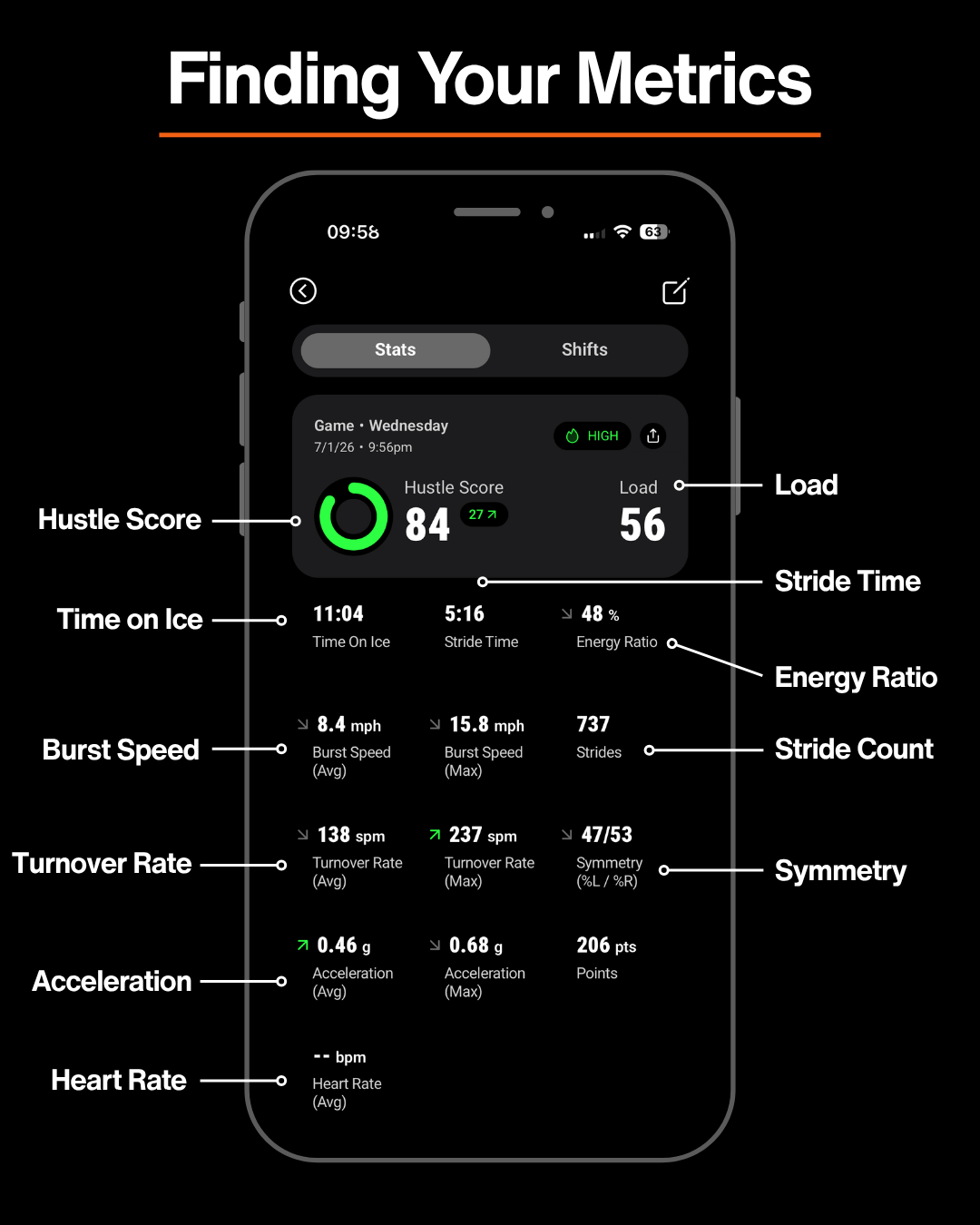
What are the HELIOS Metrics and where to find them
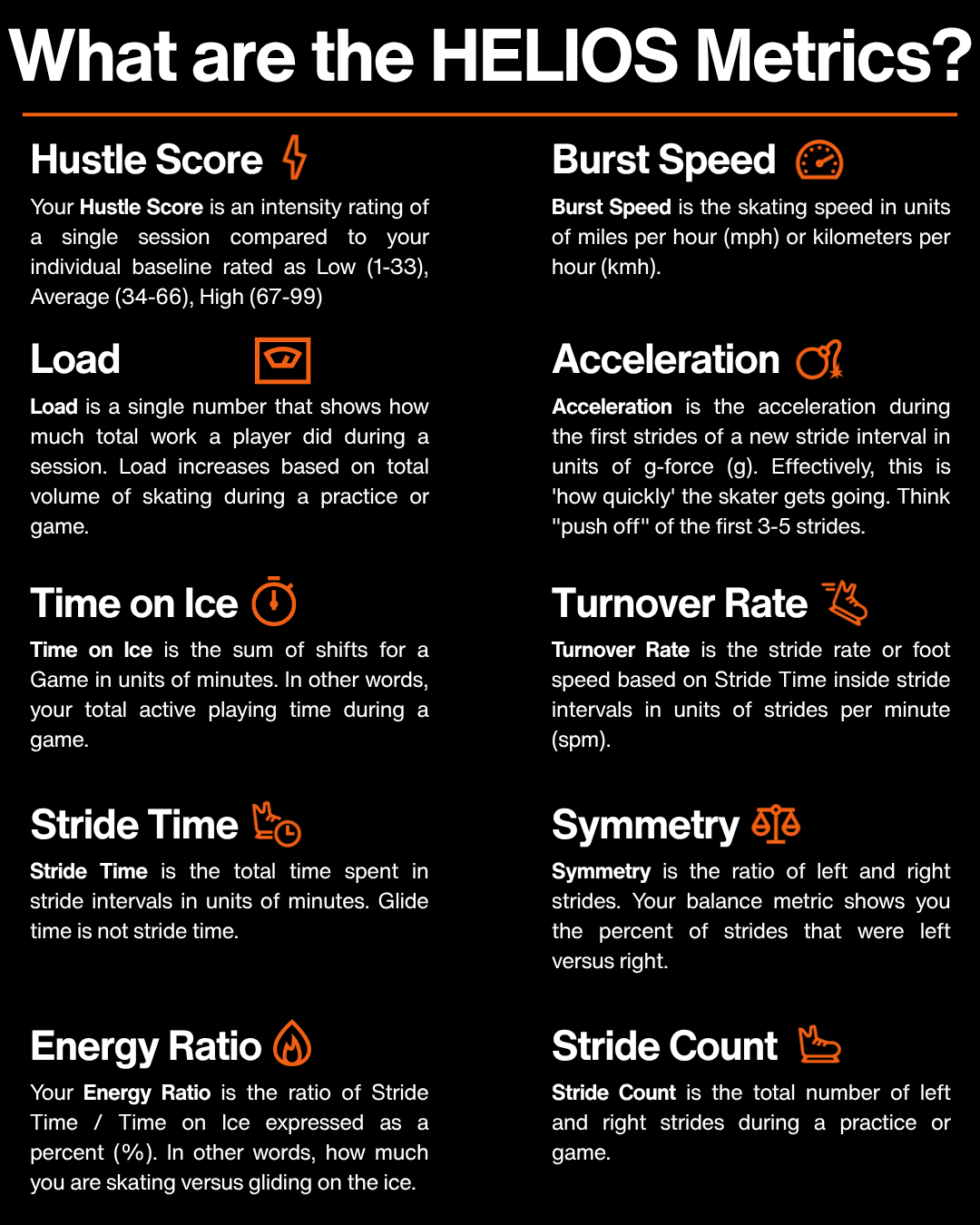
- These metrics are automatically monitored and calculated by the HELIOS Core performance sensor during the session when the athlete is skating (taking strides). The Core uses HELIOS' Stride Recognition Technology™ (SRT) to understand when the player is and is not actively skating which gives us powerful context for delivering performance results to HELIOS App.
Below highlights how the HELIOS Metrics show up in the App for an individual session and explains details for each metric:
Metrics must be viewed together and not in isolation:
- Improving one area without the others can create inefficiency.
- Context matters when developing skating mechanics.
- Increasing Turnover Rate without adequate Acceleration may reinforce an inefficient stride pattern.
- The "eye test" won’t be enough to develop top level skaters.
 HELIOS helps answer:
- How fast are you?
- What’s limiting your speed?
- Where does your stride break down?
Use HELIOS Skating Analytics to:
- Objectively assess skating mechanics.
- Pinpoint limiting factors in speed.
- Track progress over time with confidence.
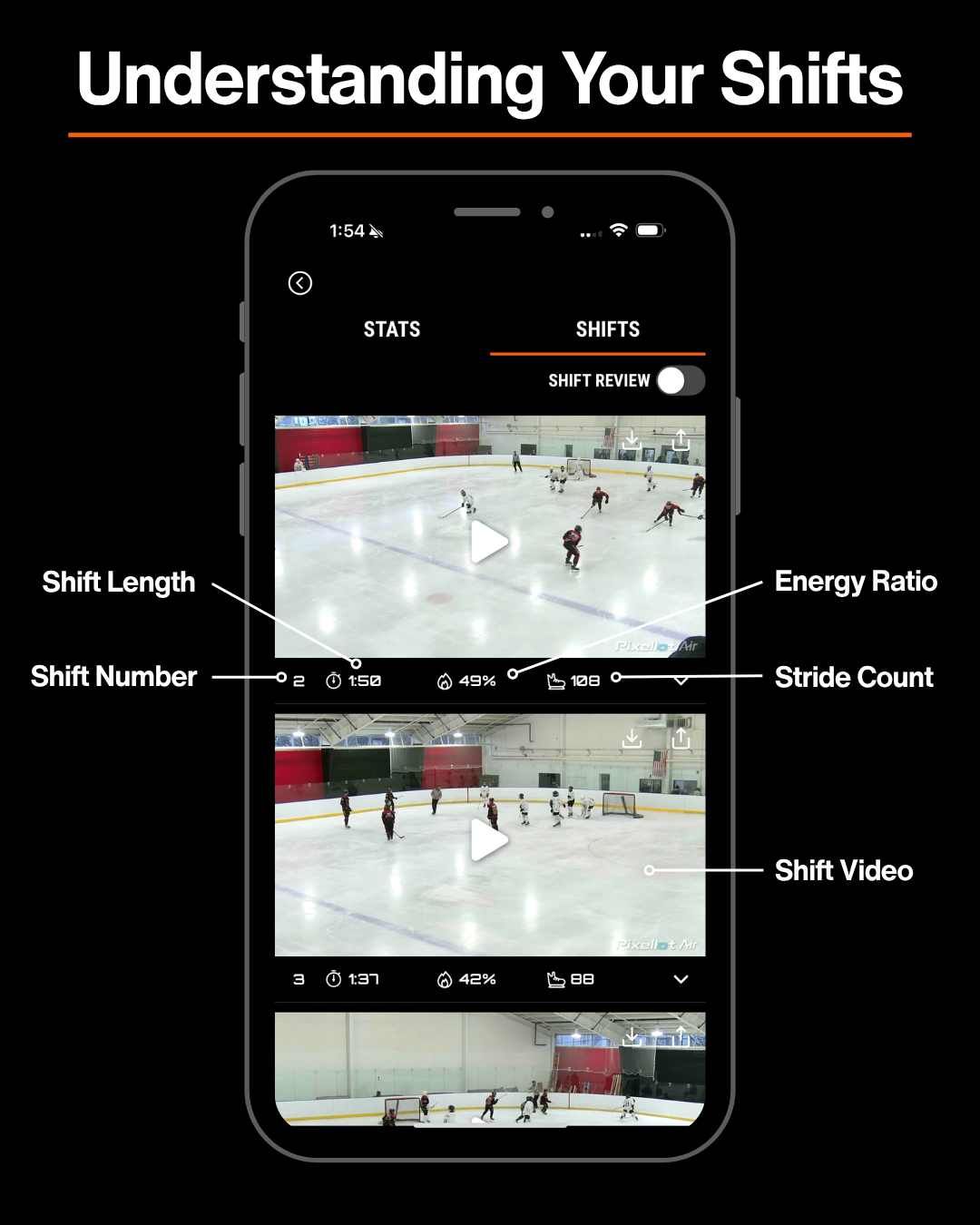
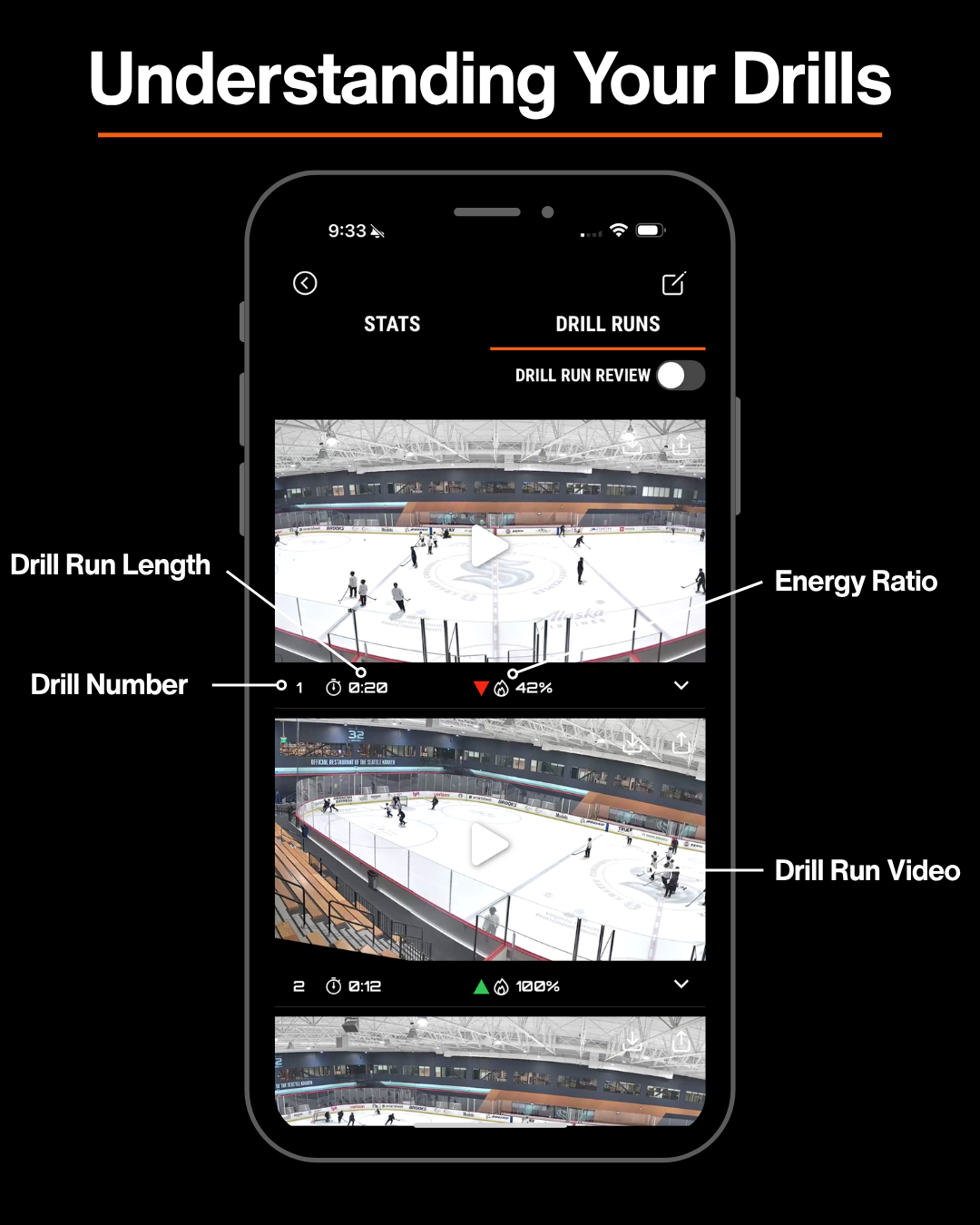
Below highlights the Shift and Drill Run features for Games and Practices:
Incorporating Data
- Shift length vs Energy Ratio → How does Energy Ratio (hard skating) decrease when shift length increases? Take shorter shifts!
Better Video Review:
Game and Practice Video is the best player development tool
- Build good habits by encouraging/ incentivizing players to watch their own shifts.
- Give players a theme to look for after a game. “Breakouts, Shooting in the slot, Passing, Forecheck”.
- Tell them to Star, Favorite, or Tag 3 good examples and 3 bad examples in their shifts.
- Set development targets using Rankings by Birth Year analysis. “Increase Turnover Rate by 5% by end of the year”. Use these in mid-season and end of year reviews.