
Invalidate ShiftsUpdated 8 months ago
HELIOS determines which shifts are valid and invalid. If a shift is below 5 seconds of stride time or 25 seconds of active time, HELIOS automatically invalidates the shift.
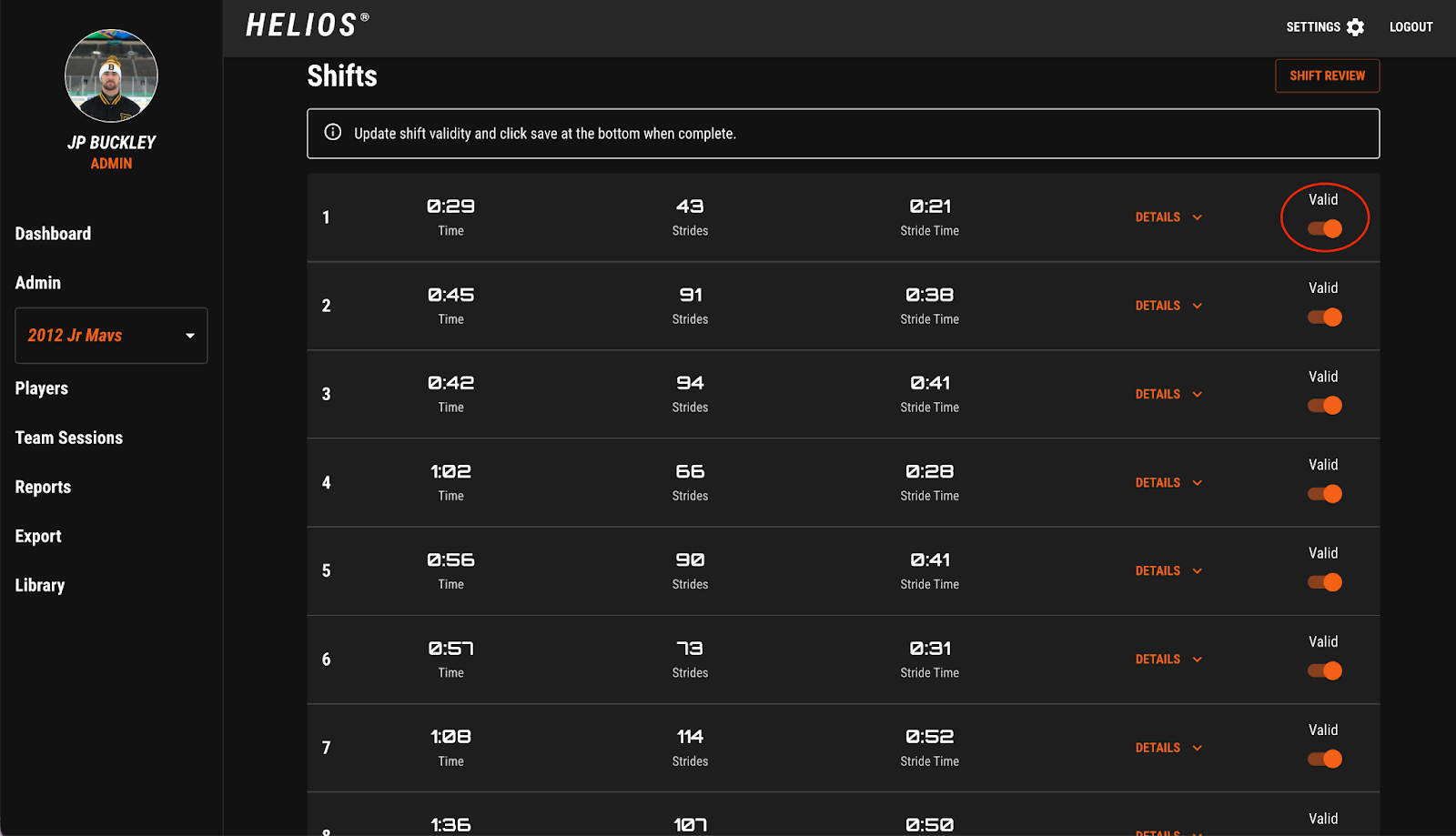
You can review your shifts and decide whether to validate or invalidate shift. This can be helpful if you want to remove a Warmup “shift” from a player, or if a short shift was deemed invalid but you want to include it in a player’s data.
To validate or invalidate a shift on the Web Dashboard:
Login to the HELIOS Dashboard (Note: use the same email and password as the HELIOS App)
Select the Game from Recent Sessions
Select the Player from the List
Select Shift Review in the top Right
Find the shift you want to edit
Toggle the Valid button to off. This will turn the button from Orange to Grey
Scroll down and select Save.
The playlist will refresh automatically and the invalidated shift will no longer appear in the shift video playlist. Data for that shift will also not be factored into the players baseline.