
Video Sharing & Privacy: Who Sees WhatUpdated 42 minutes ago
You control who sees the tags, comments and drawings you add to video in the HELIOS App. Players and coaches start with different defaults, and both can change them.
Players: your clips are private
- Every clip you tag, comment on or draw on is private by default. Nobody else sees it unless you choose to share it.
- To share with a coach, add the clips to a playlist and choose who can open it.
Coaches: your feedback reaches the player
- When you tag, comment on or draw on a player's shift or drill run, that player sees it by default.
- When you add a tag, you can choose All Players to share the moment with the whole team, or the player's name to share it with only that player.
- If you would rather keep your clips to yourself, turn off Share Video Clips (steps below). You can then share clips with players by adding them to a playlist.
Change your Share Video Clips setting
- Tap the Profile tab.
- Tap the gear icon in the top right corner to open Settings.
- Tap Privacy.
- Turn Share Video Clips on or off.
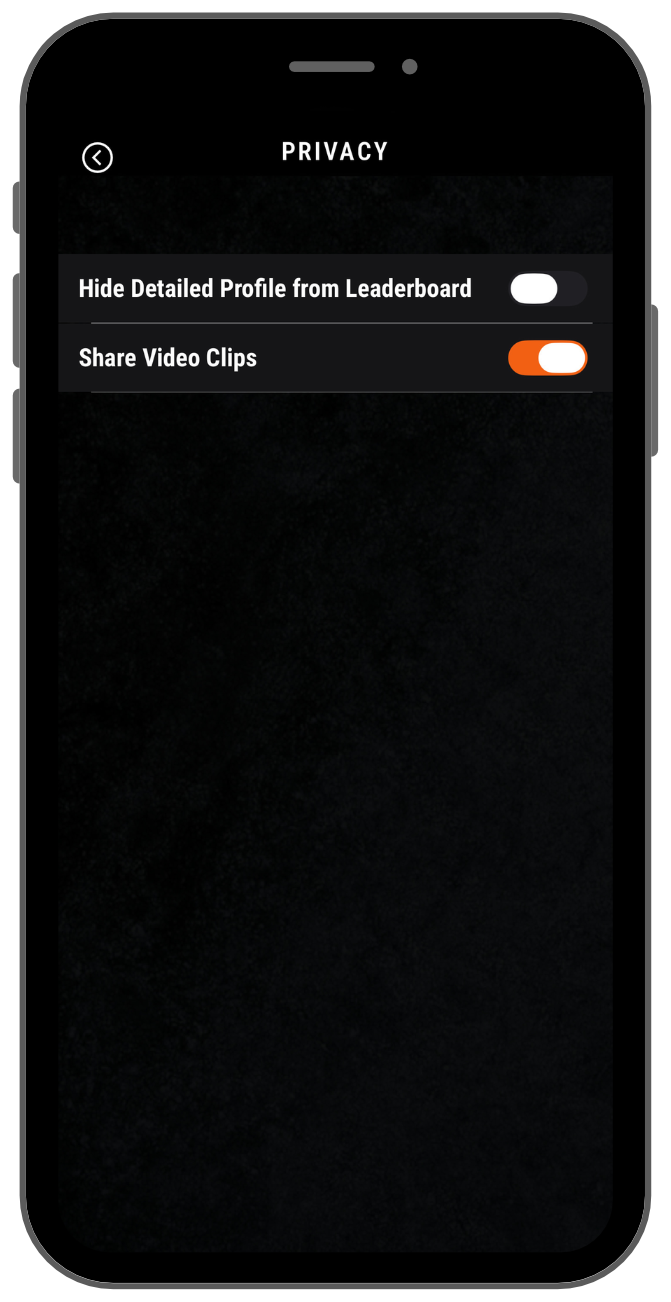
Choose who can open a playlist
Each playlist has its own sharing setting. When you create a playlist, pick one option under Who can open it:
- Only me: nobody else sees it
- All coaches: every coach of your teams can watch
- Specific coaches: only the coaches you pick can watch
- All players: every player of your team can watch
- Specific players: only the players you pick can watch
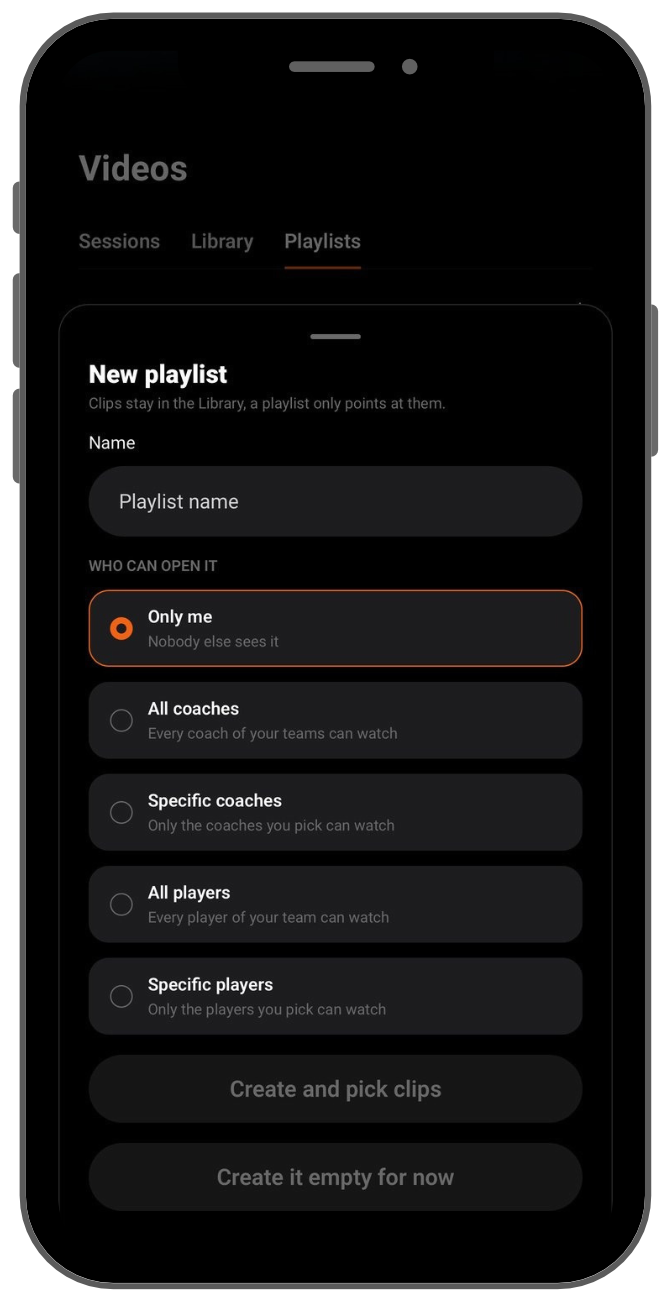
To change this later, open the playlist, tap the gear icon and update Who can open it.
Related articles
Need help? Email [email protected].